# Media Upload
[](https://manuals.macropix.com/uploads/images/gallery/2022-04/image-1649340241265.png)
To upload one or more pieces of content, simply go to the **Media** page.
[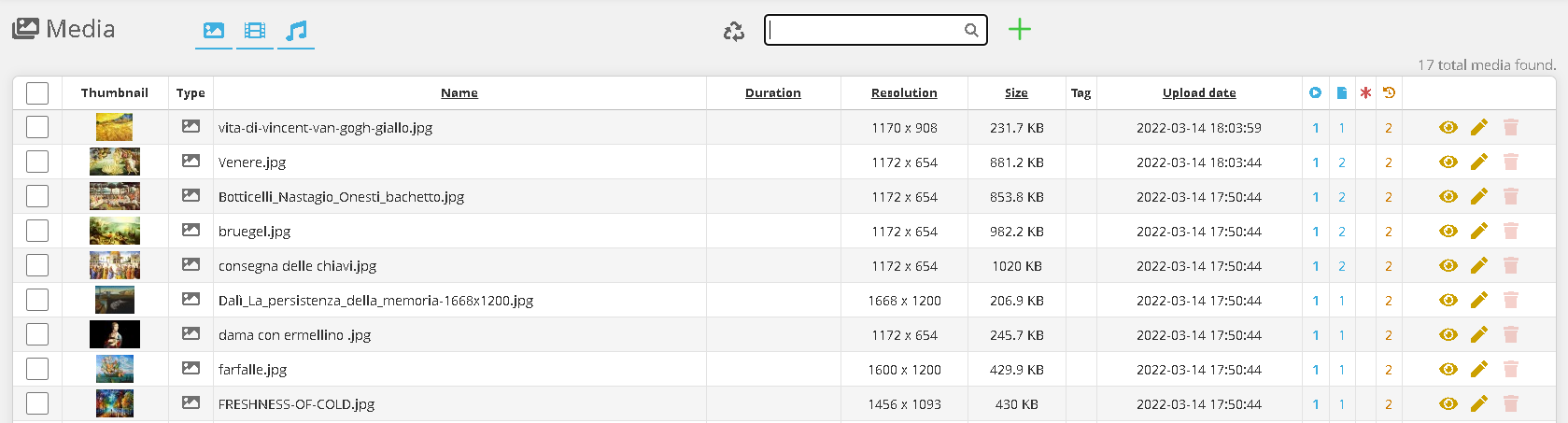](https://manuals.macropix.com/uploads/images/gallery/2022-04/image-1649340254216.PNG)
Click on the image [](https://manuals.macropix.com/uploads/images/gallery/2022-04/image-1649323474045.PNG)
[](https://manuals.macropix.com/uploads/images/gallery/2022-04/image-1649318286668.PNG)
Then click **“Choose File”** and select the media you want to upload, and wait for the upload to complete.
The main formats are supported: **.mp4, .mov, .jpg, .png, .mp3**.
[](https://manuals.macropix.com/uploads/images/gallery/2023-01/NPIPI9VNUFPCczSv-pagina-web.png)
It is also possible to create a **web address element**, which can then be inserted into the playlist.
[](https://manuals.macropix.com/uploads/images/gallery/2023-01/SSz0hxrXrLS8cUZU-codice-html.png)
You can also create an **HTML Code** element, which can then be inserted into the playlist.