
Schedule

For each media item, it is possible to set a dedicated schedule,schedule by accessing the menu with a double double-click on the "scheduling"Scheduling column of thethat media.
You iscan also possible to set a general schedulingschedule onby "TOTAL"selecting TOTAL.
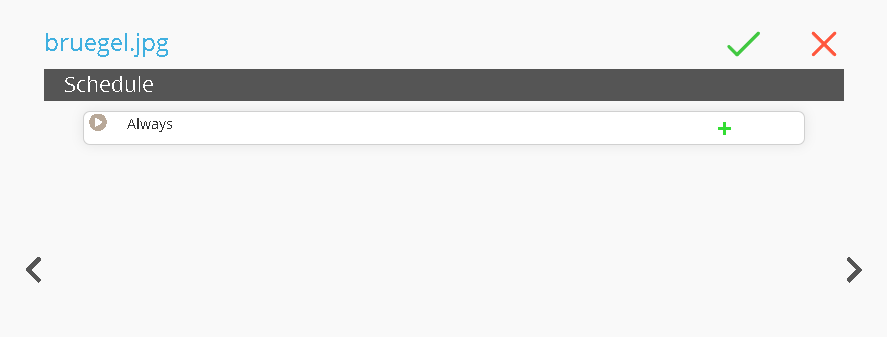
Once the page is open, we will have to click the  buttons to add a sub-level
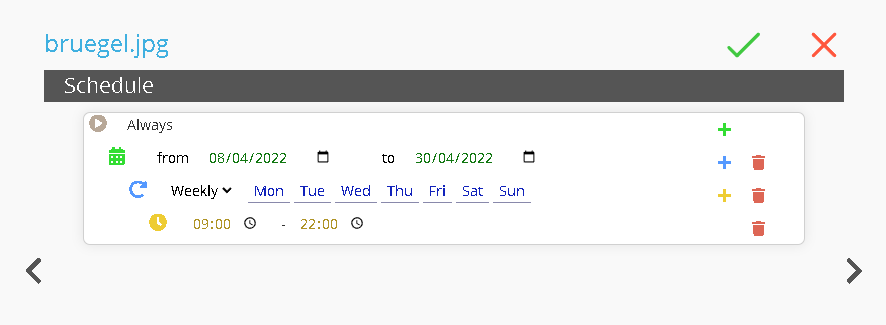
At this pointpoint, weyou can setset:
Date Range: Setdefine the date of start /and end.Recurrency:end Setdates.
Recurrence: set the recurringweekly weekly.
recurrence.
Time Range: Setset the daily time range.
ThanksThis function allows you to thisschedule function it is possible to program contentscontent in advance for future events.
For example, programyou themay schedule videos for the opening /or closing hours of a shop,shop. inIn this casecase, the media "file “bruegel.jpg"jpg” will be played from 8 April 2022 to 30 April 2022,2022, from Monday to Sunday,Sunday, frombetween 99:00 amAM toand 1010:00 pm PM.